How to Make a To-Do List That Actually Works (Six Steps)
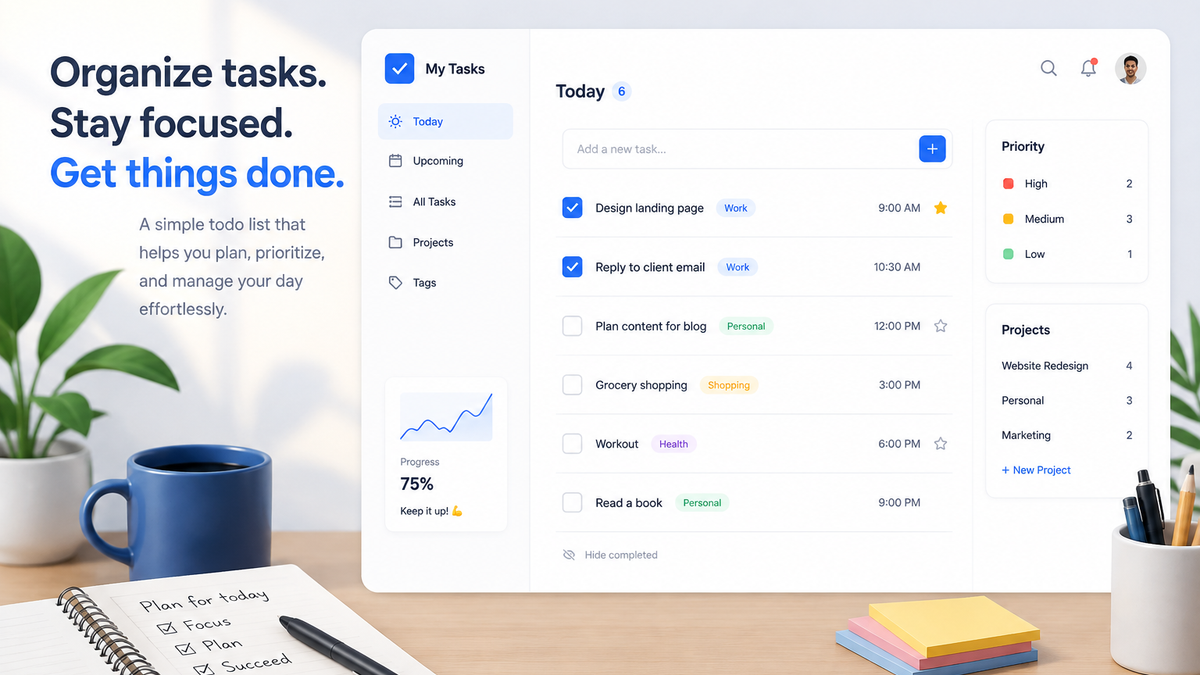
You wrote the list. A few days later, you were avoiding it. Tasks kept piling on, half of them felt urgent, and checking things off stopped feeling like progress. Or maybe you spent a weekend building the perfect Notion setup (colors, icons, templates) and haven't opened it since.
If any of that sounds familiar, it's not because you're lazy. To-do lists almost always fail for the same few reasons, and none of them are about willpower. Here's why it happens and how to build a to-do list that actually works.
The Quick Answer
Most to-do lists fail for three reasons: the tasks are too vague, everything looks equally urgent, and the list never gets trimmed to fit one day. Fix it like this: brain-dump your tasks into a simple tool, group them into categories, and give each one a priority and a deadline. Then pick three to five tasks for today, and reset the list once a week.
Why Your To-Do List oesn't Work
Most people who start a to-do list are new to productivity itself. Maybe you watched a video from a guru, an influencer, or a blogger with a flawless system and thought, "That's it, I'm going to be organized now." That enthusiasm is a great start, but productivity isn't a switch you flip once. Like any new habit, it's a grind built on consistency, and consistency doesn't pay out instantly. Anyone who's started a hobby knows the feeling: the first weeks are pure effort, with no reward in sight.
But the problem usually isn't only you. It's how the list itself is built:
- The tasks are too vague.
"Work on project" isn't a task; it's a project. Your brain doesn't know what "work on" means, so it avoids the whole thing. - Everything looks equally urgent.
When a five-minute errand and an important deadline sit in the same unsorted list, your brain treats all forty items as one giant blob of stress. - The list has no boundaries.
A list that holds today, next week, and next month isn't a to-do list; it's a backlog. You can't finish a month of work in a day, so the list keeps growing, and every glance at it feels like falling behind.
A to-do list that works needs three things: clear tasks, priorities, and a defined "today." That's exactly what the six steps below build.
How to Make a To-Do List That Works (Six Steps)
1. Start With a Simple Tool
Keep it boring. A notes app, paper, or a simple to-do app is all you need. There are plenty of fancy, endlessly customizable tools out there, but a to-do list exists to manage your tasks, your time, and your priorities. Nothing more. If the tool is fun to organize but you never open it again, the tool won and you lost. (You know the one.)
2. Brain Dump Everything: One Task, One Action
Empty your head completely: work, household, side hustle, that thing you've been putting off for three weeks. Don't organize anything yet; get it all out first. One rule while you dump: write each task as a single, verb-first action. "Draft the first section of the report," not "project report." "Email the caterer for a quote," not "wedding." Vague tasks are the ones your brain avoids; specific ones come with instructions built in.
3. Group Tasks Into Categories
Now organize. Create a handful of categories that fit your life: Work, Household, Side Hustle, Self Improvement, or whatever yours are. Keep it to four to six groups. Categories make the list scannable; instead of one endless scroll, you can see at a glance where everything lives.
4. Set a Priority and a Deadline for Every Task
Go through each task and set two things: a priority (High, Medium, Low, None) and a deadline. For the priority, ask two questions: how close is the deadline, and how much impact does the task have on your life? Urgent and impactful → High. Neither → None. Even a rough deadline ("this week," "sometime this month") turns a pile of tasks into something scheduled.
5. Pick Today's Tasks: Three to Five, No More
This is the step most people skip, and it changes everything. Today's list is not your whole list. Pick the three to five tasks with the closest deadlines and the highest priority, and give them today's date. Everything else stays in its category, waiting for its own day. You don't have to whip yourself into finishing everything today; spreading tasks across days is the system working as designed. *It keeps today's list slim, and slim lists get finished.*
6. Work Through Them, Check Them Off, and Reset Weekly
Now start. Take one task at a time, in priority order, and check each one off when it's done. Watching the list shrink item by item, and clearing it by the end of the day, is the best feeling a to-do list can give you.
Then, once a week (ten minutes; Friday works well), reset: pick next week's today-tasks, update priorities, and delete anything that's no longer relevant. That weekly reset is what keeps the list alive after the initial motivation wears off.
FAQ
Should I Use Paper or an App for My To-Do List?
Either works if it's simple. Paper is fast and distraction-free. Apps win if you want reminders, deadlines, priorities, and your tasks synced between your phone and laptop. Pick whichever one you'll actually open.
How Many Tasks Should Be on My Daily To-Do List?
Three to five. If you finish early, pull in one more. A short list you complete beats a long list you abandon. Every time.
Why Do I Procrastinate Even With a To-Do List?
Usually because the tasks are too vague (step two), the list is too long (step five), or there's no clear next action. Make each task specific, shrink today's list, and procrastination usually loses its grip.
Conclusion
A to-do list fails when it's vague, unprioritized, and endless. It works when every task is a single action with a priority and a deadline, and "today" holds only what you can actually do today. Build it once, reset it weekly, and checking things off starts to feel like progress again.
If you want a tool built around exactly this system, one with priorities, deadlines, categories, privacy, and sync between your devices, try Lakun. It's free.