How to Prioritize Tasks When Everything Feels Important
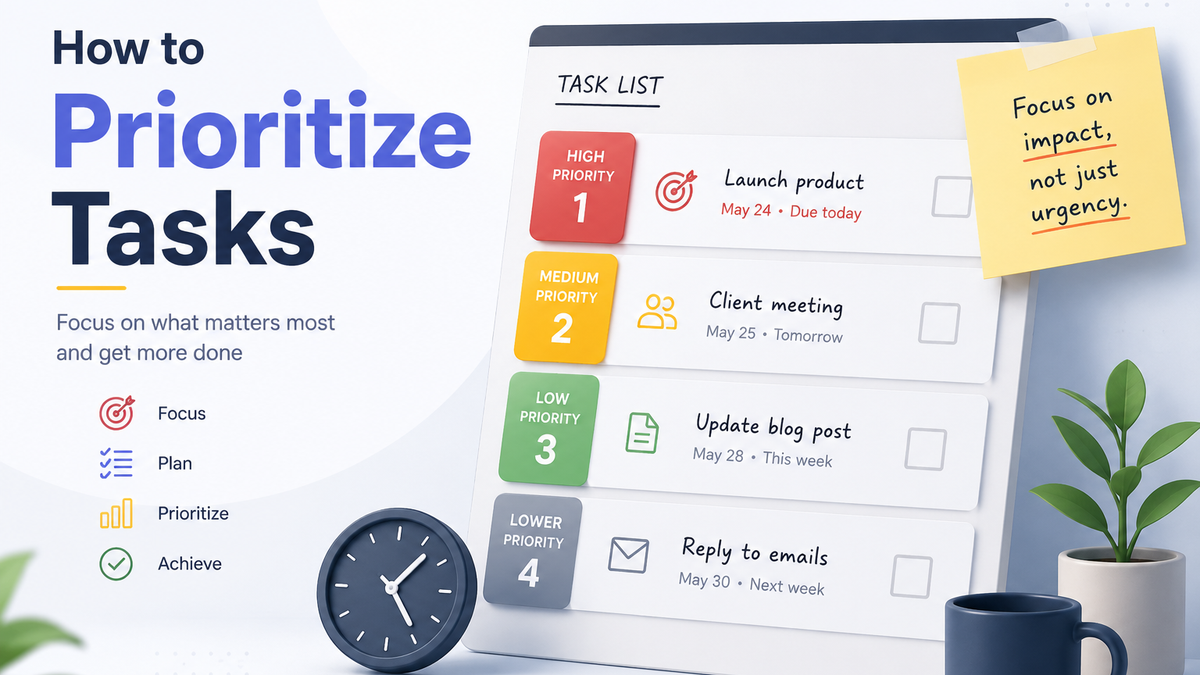
You sit down at the start of the day, dump everything on your mind into your to-do list, and end up staring at twenty tasks that all feel urgent. Assigning priorities sounds like the fix, but everything looks equally important, so you either pick at random or close the list and do nothing.
Here’s the good news: feeling important and being important are not the same thing, and there’s a simple way to tell them apart.
The Quick Answer
When everything feels important, rate each task on two things: deadline and impact. A close deadline plus big consequences means high priority. One or the other means medium. Neither means low. Then pick only three to five tasks for today, the ones that fit the hours you actually have.
Why Everything Feels Important
First: this is completely normal, and it’s actually a sign your to-do list is doing its job. The list exists to pull everything out of your head so you can look at it calmly instead of carrying it around. Everything you wrote down matters a little; otherwise you wouldn’t have remembered it. So of course the pile feels heavy.
But that’s also the trap. When you brain dump, your brain flags every item with the same “remember this” signal, and that signal feels identical to “this is urgent.” Your list holds “reply to the client” and “buy shampoo” with the same weight, even though the consequences of skipping them are wildly different.
The feeling of importance is a trick of memory. Real importance comes from two things you can check: when it’s due and what happens if you don’t do it. That’s the whole secret.
How to Prioritize Them
1. Estimate How Long Each Task Takes
Go through the list and give each task a rough time estimate: “ten minutes,” “an hour,” “half a day.” Rough is fine; you’re not billing anyone. This alone changes how the list looks: some “huge” tasks turn out to be fifteen-minute quick wins, and some “quick” tasks reveal themselves as half-day projects.
2. Check the Stakes
For each task, ask: what happens if this doesn’t get done? Does money disappear? Does someone else get blocked? Does your job, degree, or reputation take a hit? Do you lose something or someone important to you? Most tasks fail this test quietly: nothing catastrophic happens if “reorganize my desk drawer” waits a week. A few pass it loudly. Those are your real priorities.
3. Check the Deadlines
Now look at when things are actually due. Not when you’d like them done. When they’re really due. Half the tasks on an overwhelming list have no true deadline at all; they’re just ideas wearing a deadline costume.
4. Combine Them into a Priority
Now you have everything you need:
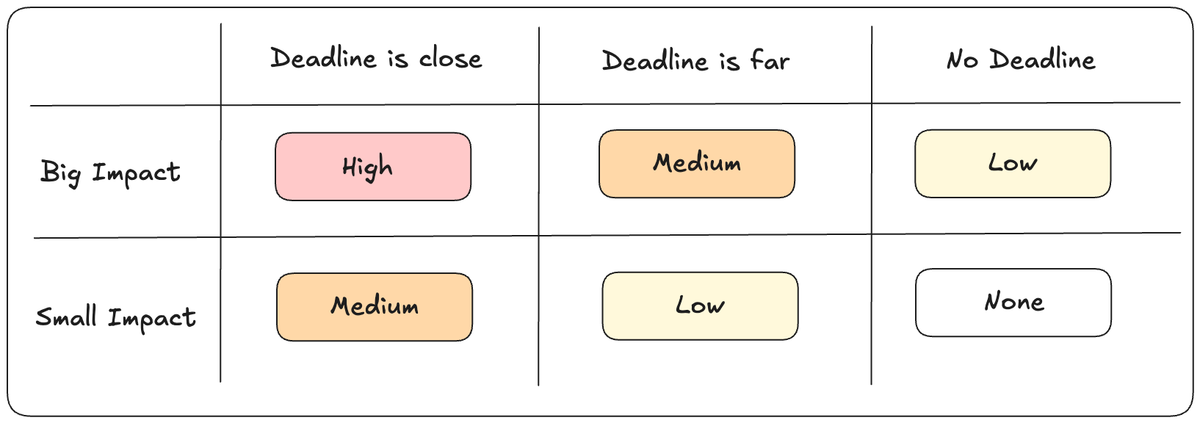
If you squint, that little table is a simplified Eisenhower Matrix, the classic prioritization framework. More on that below.
One more thing the table leaves out: task size. Mix big tasks with a few small ones across the day. Quick tasks get the list rolling early, and the big task gives the day its payoff.
5. Cap Today at Three to Five Tasks
The final step is the one most people skip: today’s list is not your whole list. Pick three to five tasks (closest deadlines, highest priority), and those are today. Everything else stays on the list, waiting for its own day. Use your time estimates as a sanity check: if you picked three “half a day” tasks and you have four free hours, pick again.
A short list you finish beats a long list you abandon. Every time.
Two Frameworks Worth Knowing
The method above is the quick, everyday version. If you want to go deeper, here are the two classic prioritization frameworks:
The Eisenhower Matrix
It sorts every task along two axes, urgent (time-sensitive) and important (consequences), into four quadrants: do it now, schedule it for later, delegate it, or delete it entirely. This makes it especially good for deciding what belongs on today’s list versus what gets a future date. I cover it in detail in a separate guide.
The ABCDE Method
You label every task from A to E based on impact: A means serious consequences if it’s not done, E means no consequences at all. Then you work strictly in order: you’re not allowed to touch a B until every A is finished. Simple, brutal, effective. It’s also getting its own article soon.
Tools That Make This Easier
You can run this method on paper, but apps make the sorting and re-sorting painless:
- Todoist
- TickTick
- Lakun
FAQ
What If Every Task Really Is Urgent?
That’s genuinely rare. Run the deadline check honestly, and the “everything” usually shrinks to two or three items with real due dates. If several things truly are due the same day, use your time estimates: knock out the short ones first to clear space, then give the biggest one your focused hours. And if it’s still impossible, that’s a conversation with a deadline, not a prioritization problem.
Should I Do Quick Tasks or Important Tasks First?
Honestly, it comes down to preference. I like to clear one quick but important task first, because finishing something early gives you a small win. That win carries momentum into the bigger tasks.
How Many Tasks Should I Put on My Daily List?
Three to five. If you finish early, pull in one more from the list. That number keeps the day achievable, and finishing with a cleared list is what keeps the whole habit alive.
Conclusion
When everything feels important, don’t trust the feeling. Check the two things that don’t lie: deadlines and consequences. Rate, sort, cap your day at a handful of tasks, and let the rest wait for their own day.
This method covers steps four and five of a bigger system. If you’re building your to-do list from scratch, start with How to Make a To-Do List That Actually Works first.
And if you want a tool where priorities, deadlines, and categories are built in (simple, private, synced across devices), you can try Lakun, free.